
My Model Y Juniper cannot do V2L. I bought the Tesla Outlet Adapter anyway, because I am stubborn, and it does not work on my car. So the next question was obvious: what can I actually get out of the 12V socket instead?
Hansshow saw that video and sent me their 200W car power inverter to find out. Here is what ran, what did not, and the thing I found along the way that nobody seems to talk about.
Why my Tesla 12V socket reads 14.4 volts
This is the part I did not expect to spend three minutes on.
Everybody says newer Teslas run a 16V system, and that inverters need to handle 16V DC input or they die. So I expected to see something in the 15V range at the socket. I got 14.4 volts. Steady. It starts around 13.7 when you open the door, climbs, and settles at 14.4.
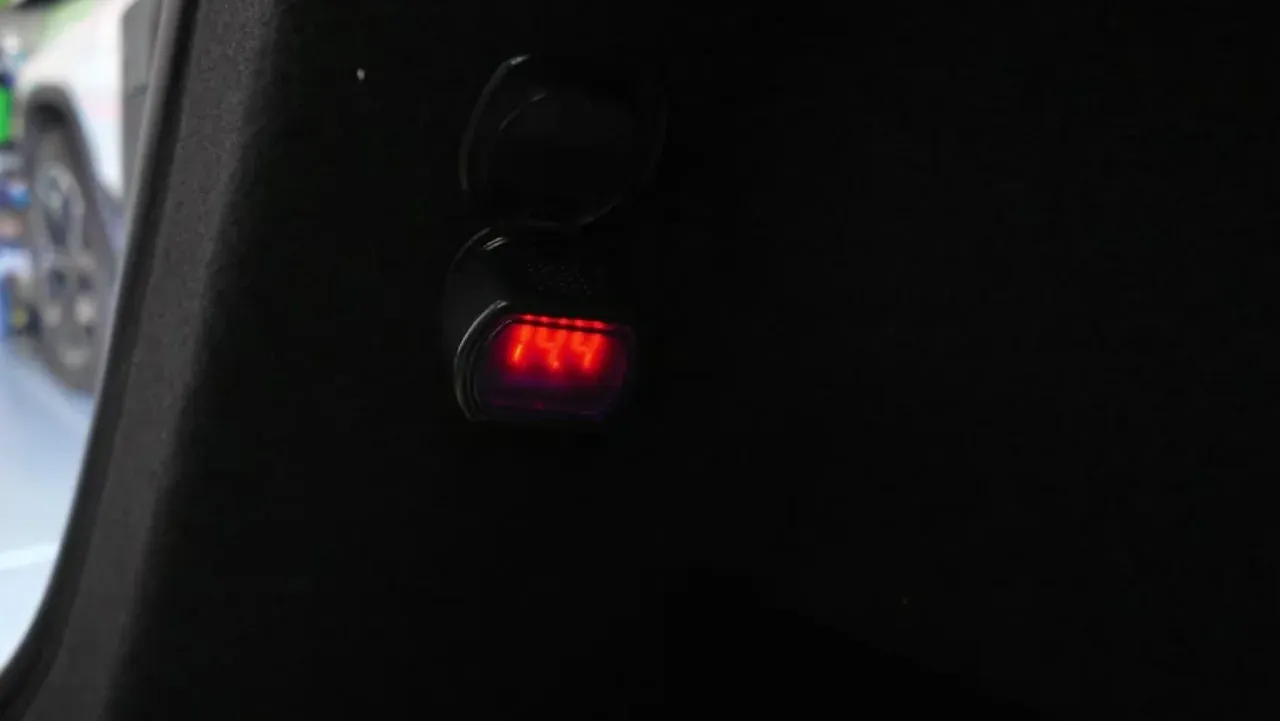
On camera I guessed Tesla had put some kind of limiter in the socket. That was wrong, and the real answer is better.
Your car has two batteries. The big one drives the wheels. A much smaller one runs the lights, the screens and the 12V sockets, and that small one is what the inverter is plugged into. Tesla has changed it more than once. The lithium-ion version everyone calls “16V” is held around 15.5 volts. There is a newer 12.8V lithium iron phosphate pack that sits at 14.4 volts instead, and per Tesletter’s writeup of Professor John Kelly’s teardown, the 2026 Model Y can ship with either one.
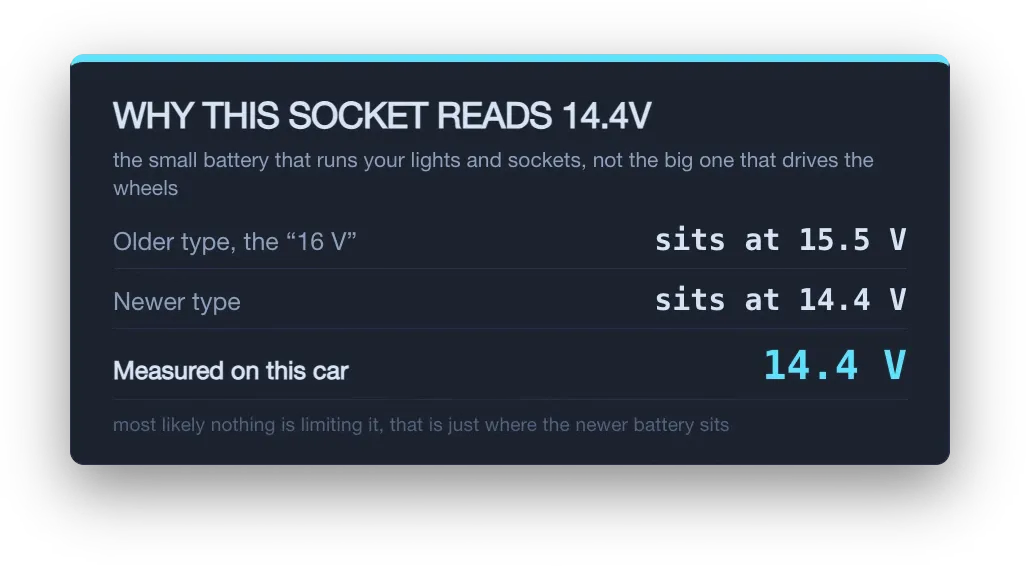
So 14.4 volts is probably not a limiter. It is most likely which battery my car came with. Nothing is stepping anything down.
One honest caveat, and it matters: I am reading that off the voltage, not off a part number. Two meters said 14.4 and the inverter’s own display said 14.5, which is a different manufacturer landing a tenth of a volt away, so I trust the reading. What I have not done is pull the battery and check the label, so the battery I am blaming it on is an inference from the number, not something I confirmed. If you have a 16V car, expect to see something closer to 15.5 at your own socket.
What the 12V socket will actually give you
Here is the thing about 200W. It is the number on the box, not the number you get.
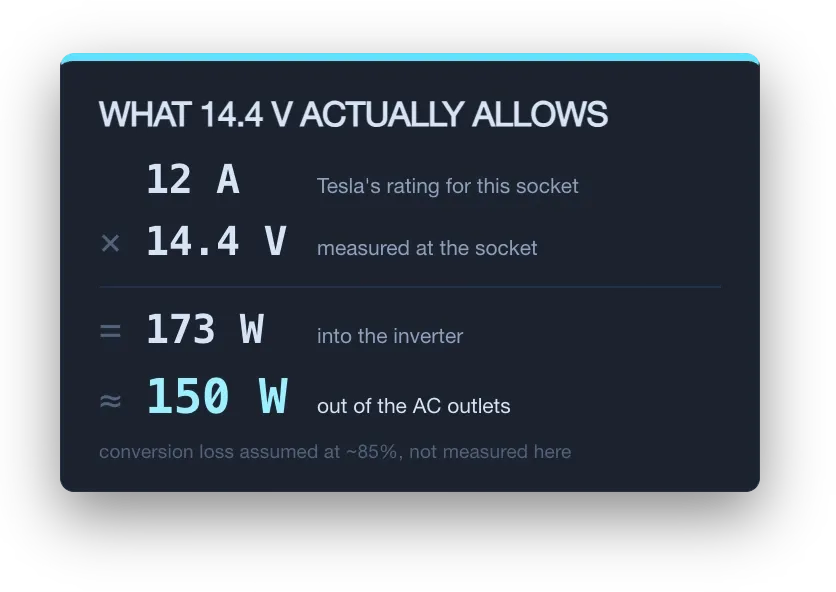
Tesla rates that socket at 12 amps continuous, 16 amps peak. At the 14.4 volts I measured, 12 amps is 173 watts going into the inverter. Inverters lose something in the conversion, so what comes out of the AC outlets is roughly 150 watts. I want to be clear that the 85 percent efficiency is an assumption, not something I measured. I did not have a wattmeter on the AC side for this test, so everything here is volts.
On camera I said I would keep it under 180 watts. That is the same budget seen from the other side of the box: about 180 watts going in off the 12V socket is roughly 150 watts coming out of the AC outlets. Plan around 150, because 150 is what your devices actually see.
The other thing people miss: 200W is the ceiling across both outlets combined, not 200W per outlet. Three things plugged in have to total under it.
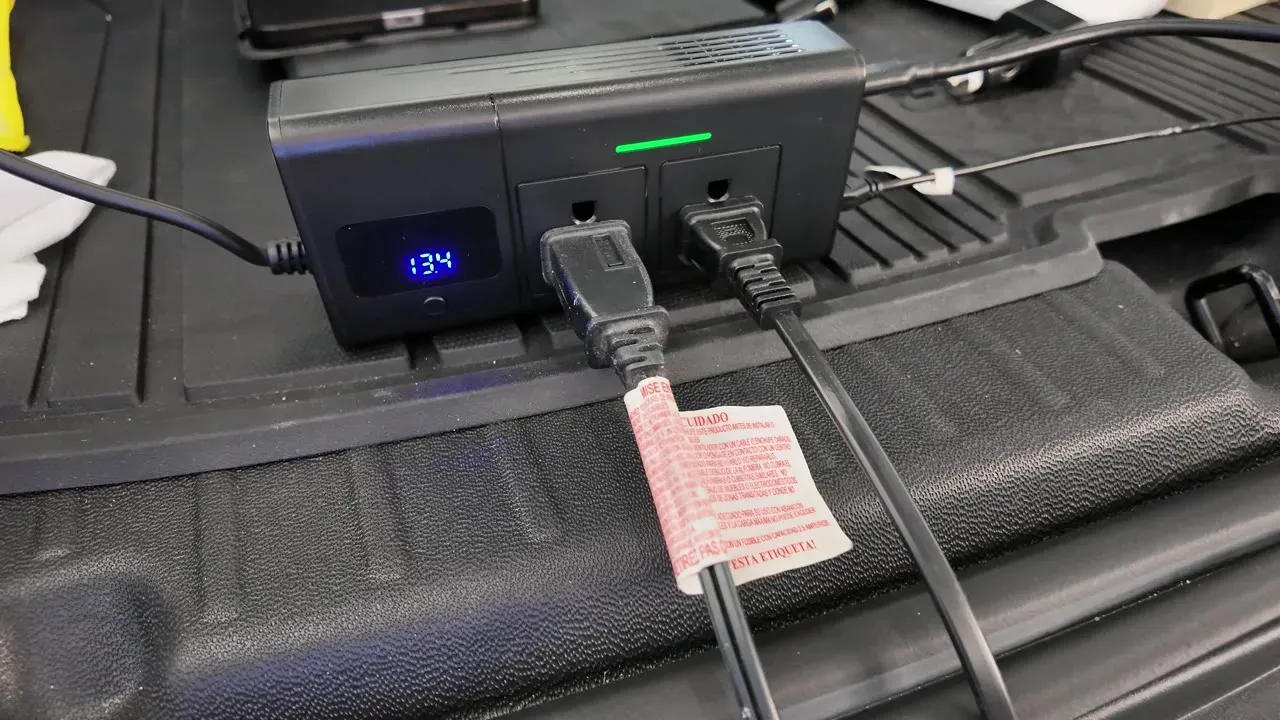
There is also no user-serviceable fuse on that circuit. The Model Y owner’s manual says protection is electronic, and the manual also tells you not to plug non-Tesla accessories into it, inverters included. I am telling you what I did, not telling you Tesla approves.
What ran without complaining
A fan pulled the socket from 14.4 down to about 13.6 volts. An LED light barely registered, which is the argument for LEDs in the car in the first place. A projector took it to roughly 13.1. Then I ran the projector and a Marshall speaker together with the light and sat around 13.6 to 13.8.

So: a fan, a light, a projector and a speaker, all at once, in a parked car. That is a movie night in the trunk, and it never tripped.
What will not run
Anything that makes heat. An electric kettle, a water heater, an electric pot. Those are all well past 200W and they are not borderline, they are multiples over. Do not try it.
Gaming in the car, honestly
I did not plug a console in. I looked up what they actually draw, because guessing at this is how you cook something.
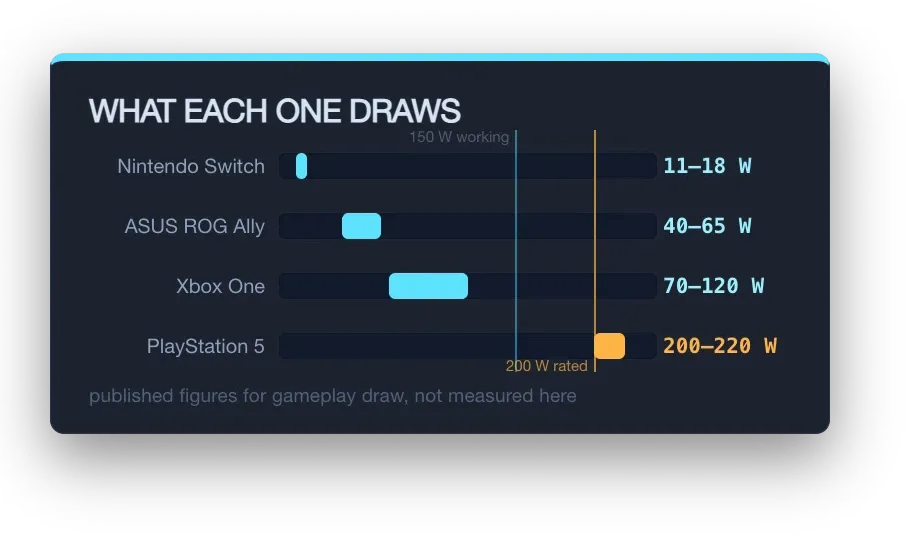
A Nintendo Switch is 11 to 18 watts. An ASUS ROG Ally is 40 to 65. Both are fine. An Xbox One is 70 to 120 watts in gameplay. A PlayStation 5 pulls 200 to 220 watts, which is over the rated ceiling before you have plugged in a screen. That one is out.
If you watched the video, those are not the numbers I said on camera. I quoted the Xbox at 140 to 145 and the PS5 at 180 from memory. I went and looked them up properly afterward and these are the published gameplay figures, so use these. The conclusion on the PS5 does not change, it is still out. The Xbox does change: it is further under the ceiling than I made it sound, though a monitor on top of it still gets you uncomfortably close.
Gaming laptops are their own thing. You cannot run one, because the GPU only opens up to full power when it is plugged in, and that is exactly when the machine draws the most. You can charge one, but only with the lid shut. Charging alone is maybe 70 to 100 watts. Using it while it charges lands somewhere between 120 and 190 and that is where it trips.
The one I did not expect: e-bikes
I have two e-bikes and a scooter in the garage, and their chargers are ordinary AC wall bricks, not USB-C. Most of them pull somewhere around 100 watts, which sits inside the budget with room to spare.
The catch is time, not power. A 1 kWh e-bike battery at 100 watts is about ten hours. That is not a stop at a trailhead, that is leaving the car parked overnight with the accessory ports kept awake. But if you are camping anyway, or the car is sitting at a hotel, it is a genuinely useful thing to be able to do from a Juniper that otherwise cannot power anything.
Both of those numbers are approximations rather than measurements. I did not put a meter on the charger.
The 30W USB-C port is the second limit
This is the one I would have gotten wrong if I had not checked.
The Hansshow 200W inverter has two 110V AC outlets, three USB-A ports (one of them QC 3.0) and one USB-C at 30 watts. Worth noting the Amazon listing gets the port count wrong in two different directions. I counted them on the unit.
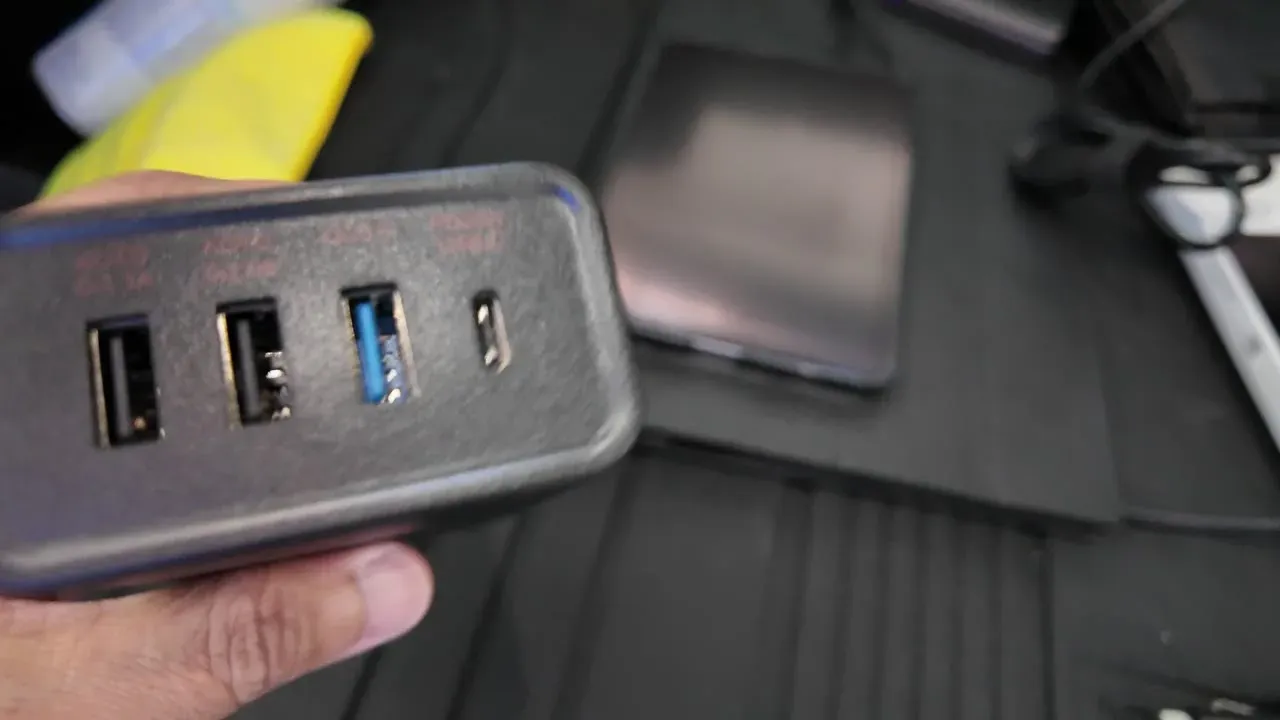
That 30 watt USB-C port is not big enough for a couple of things I talked about in the video. A Starlink Mini over USB-C wants about 65 watts minimum and 100 watts for stable service. The ROG Ally wants its 65 watt brick to run full speed. Both of those need to go into an AC outlet, not the USB-C port.
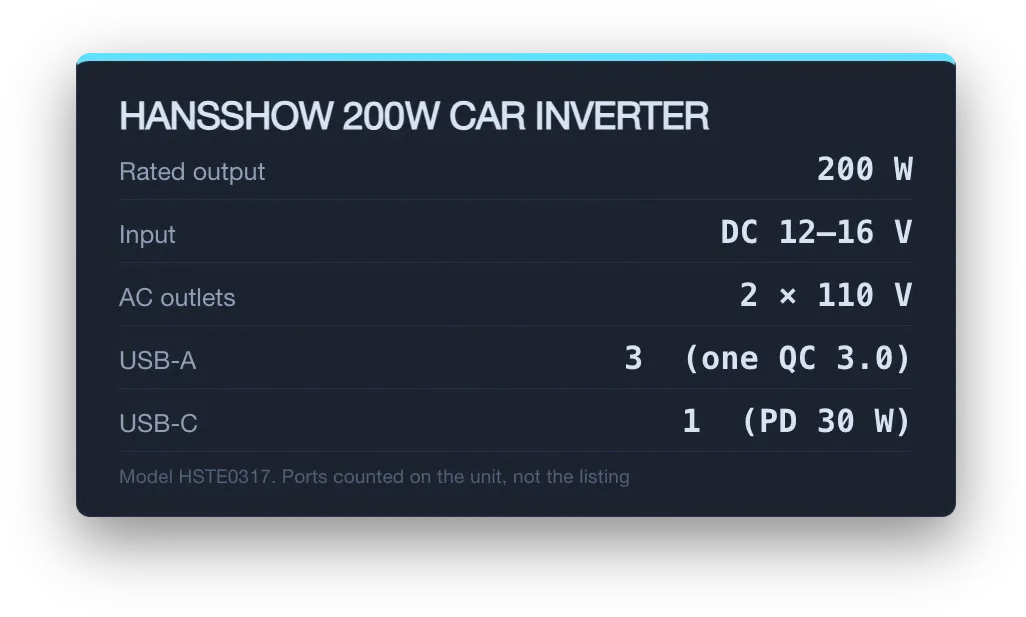
And do not think of this inverter as a USB-C upgrade. The Model Y’s own USB-C ports are faster than 30 watts, and if fast USB-C in the console is what you are after, the GaN console hub is the thing that solves that, not this. What you are actually buying here is the two AC outlets and the extra USB-A count.
Why the inverter instead of the V2L adapter
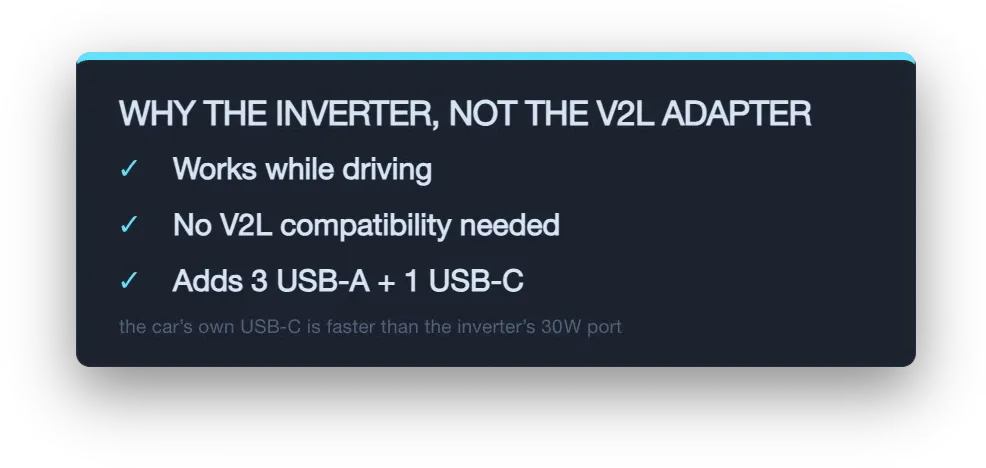
The V2L adapter needs a car that supports it. Mine does not. The inverter does not care, because it is just using the 12V socket every car has had for decades.
The bigger one for me is that you can use the inverter while you are driving. The Tesla Outlet Adapter clips onto the Mobile Connector in the charge port, so the car has to be parked. If I am on a road trip and something needs an outlet in motion, this is the only one of the two that does it.
It is not a power station. I still have portable batteries for anything heavy, and the R1S and the Cybertruck both have real outlets. But for a fan, a light, a projector and charging things in a Juniper that cannot do V2L, 150 watts goes further than I expected.
Use coupon SMARTINUP, limited time, restrictions may apply. Their Amazon storefront has the rest of their stuff.
What would you plug in? I am curious whether anyone has found something useful in that 150 watt window that I did not think of.
Leave a comment
Comments come straight to me rather than posting publicly, and I read every one. Your email is never published.