ARCHIVE.OK · 9 UNITS LOGGED 7 YR LOG · 3 ACTIVE NO PRESS CARS · OWNERSHIP LOG

Replacing Battery on UPS CyberPower 1350AVR

It’s been years since I got the CyberPower 1350AVR (2012) and recently it stopped working. The LCD just kept blinking and most…

Replacing Battery on UPS CyberPower 1350AVR

It’s been years since I got the CyberPower 1350AVR (2012) and recently it stopped working. The LCD just kept blinking and most of the ports didn’t provide any power. I thought it was broken and cannot be salvaged.

broken_ups.gif

Blinking LCD

I searched around the internet to see if others are experiencing a similar issue. Many reported that it could be a bad battery. Unfortunately, I can’t confirm it since the LCD does not display any information. I checked for the cost of a new battery and was about half the price of a new UPS. Not bad, but still pricey. The CyberPower RB1280X2A is around $75.

I continued looking and eventually found one for around $32 from replaceUPSBattery.com. I was skeptic since I’ve never heard of them and their company name just sounded weird to me. I checked around for reviews and ratings. I checked their social media. They seem to have a good rep. I figured $32 is not a big gamble – hopefully the battery works and doesn’t do more damage than what current problem.

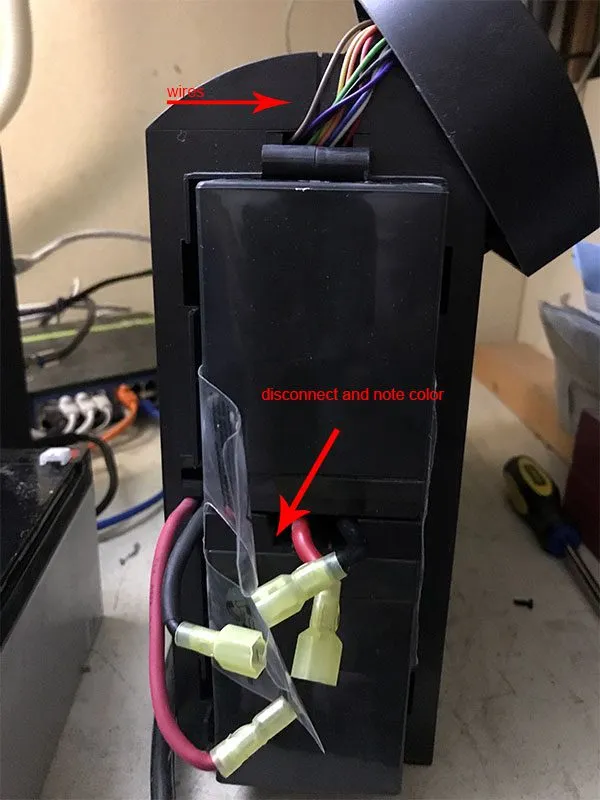
The battery came from Las Vegas and took a few days. Packaging is good and heavy – batteries are heavy. The UPS is easy to open. I made a mistake on unscrewing the screws in the back – not necessary. All you need to do is unscrew the screw in the bottom towards the front and slide the front panel up. Be careful not to pull it out. There are wires attached to the front panel.
IMG_0786.jpg

Front panel off

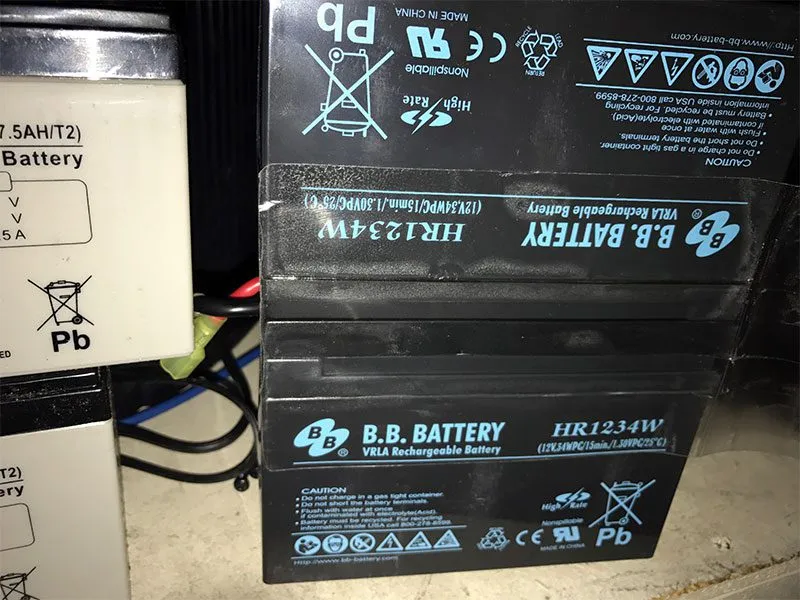
Once you disconnect the wires, use the plastic tabs to help you pull out the batteries – yes batteries. There are two and they are heavy so be careful not to drop it on yourself. The plastic tabs is actually wrapped around the batteries and somewhat keeps them together.
IMG_0788.jpg

Two batteries stacked on top of each other

The batteries are connected together by wires. Disconnect them. Again, pay attention to the colors – black and red and match them up.
IMG_0787.jpg

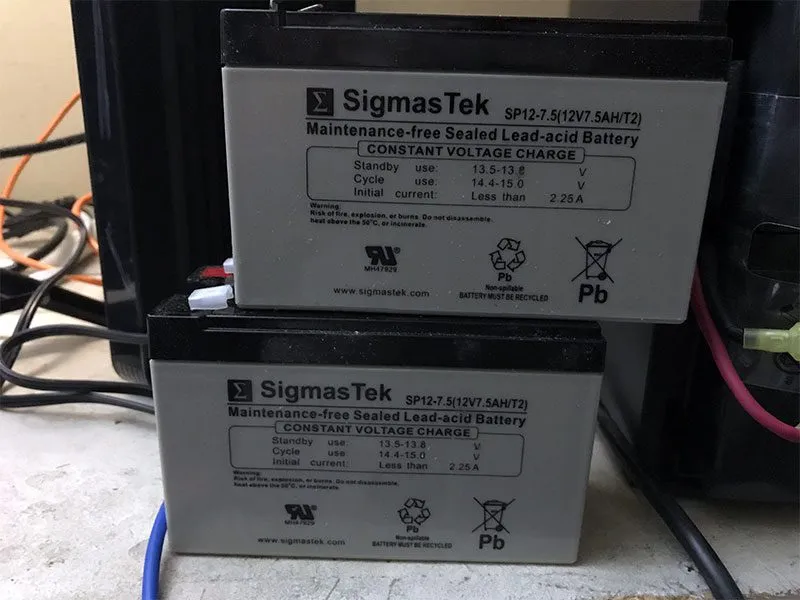
New batteries

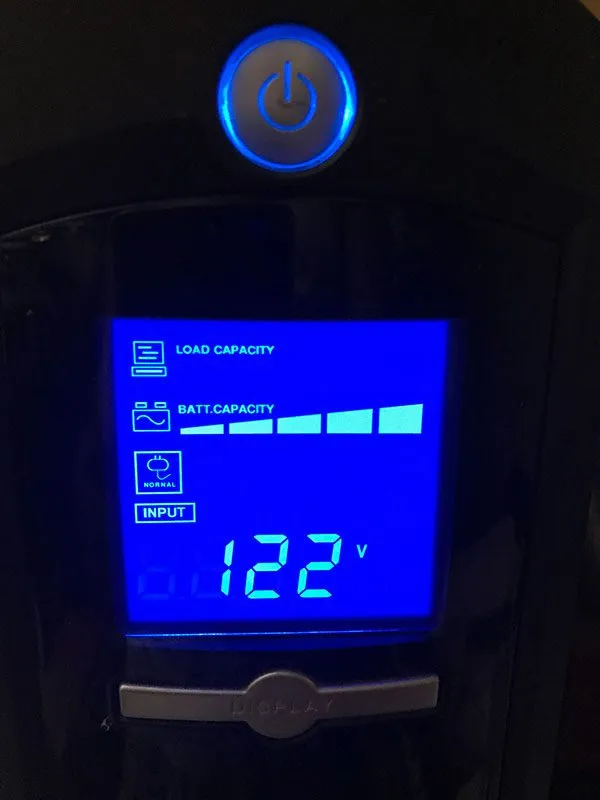
Above are the new batteries. Just reconnect them and stack them up. Wrap the plastic with tabs around if you can. My adhesives are a bit worn but they still have some stick to them. Slide it back in and connect the remaining wires. Plug the UPS back in and check the battery levels. Some batteries are discharged so be aware that if power goes out as soon as you install the new batteries, you UPS will not remain on. Mine actually came with charged batteries.
IMG_0789.jpg

Maximum capacity

After I plugged it in, I checked the capacity to see it at maximum. I then unplugged it to simulate a power outage. The UPS beeped and showed me the time left before the batteries are drained. Everything is back to working condition and I saved a good amount of money. Hope it last another five years or more.

▸ Comments 26

M
Michael Feb 14, 2018
Thanks for the post - Mine is having the same issue.
S
sherwin Author Jun 3, 2018
did you replace the battery and fix it?
T
thelawnetwork Feb 23, 2018
Great post and thanks. Incredible that Cyberpower could make a UPS with a mind numbing design defect like this one where you cant even use standard electricity because the battery is low. Was debating replacing the entire UPS given this defect but the price and your instructions made it an easier decision.
S
sherwin Author Jun 3, 2018
glad it worked out for you. i was going to take the easy way out and just buy a new one. just didn't have time but UPS is needed so every day it's broken, i worry a little. just ordered the battery and it came sooner than anticipated. the process was quite easy as well.
MK
Michael K. Jul 5, 2018
since the 2 batteries are connected in series, your comment about "black to black, red to red" is .....invalid
S
sherwin Author Jul 5, 2018
Hmmm, I connected the same color wires and it’s working.
J
Jeremy Nov 28, 2018
Michael: Since the 2 batteries are connected in parallel and not in series, your comment is invalid: Proverbs 16:18 Thanks Sherwinm!
P
Phil Jul 11, 2018
I would call that sliding the front panel down, not up, given the natural orientation of the device.
P
Peter Oct 6, 2018
Agree with Phil -- slide the front panel down, not up, about 1/2 inch, than wiggle it free and carefully rotate it to the top of the UPS so as not to damage the wires or circuit board on the inside of the panel. The batteries may take some effort to remove, and unplugging the connectors between the two batteries is difficult because there's so little room between them, but persistence will reward you, as it did me, with a fully functioning UPS for ~$32. Thanks, Sherwin et al.
FT
Fred T. Oct 30, 2018
The Original battery is a 8AH you replaced it with a 7.5 AH
G
Gordon Jan 31, 2019
I just spoke to tech support to confirm that these are wired in series (producing 24V DC at the terminals connecting to the UPS). Plus, there is no other way since there is only one extra connecting wire which must connect negative on the high side battery to positive on the low side battery. Parallel connection would require some kind of daisy chain wiring which is not the case.
ML
Marty L. May 16, 2019
Excellent info, I ordered from the same site and they arrived quickly. The protective packaging was thin cardboard but so far so good. One small suggestion, change the order of your instructions: "Disconnect them. Again, pay attention to the colors – black and red and match them up." .That's kinda backwards like the joke about disabling a bomb and it says cut the green wire AFTER you cut the yellow wire :). I took a picture with my phone since it was 3 wires connecting 2 batteries. Thanks for sharing this info!
J
Jody Sep 5, 2019
I preformed the replacement exactly as prescribed. Was pretty easy. But when plugging back in, the blue screen flashes and clicks. When I hold down the "Display" button, it lights up, says the battery is full capacity, the unitl powers anything plugged into ti, but after a few seconds begins flashing and clicking again, and there's no power coming out of it... ???
S
sherwin Sep 5, 2019
i wonder if the UPS can provide power without the battery? maybe see if that works. if it works fine, then i would rule out that the UPS is malfunctioning. my next guest is the battery could be bad. i would call the vendor and see if they can help troubleshoot.
J
Jody Sep 5, 2019
Sorry for the typos!
B
Barry Mar 19, 2020
Thanks a ton for this. I was just figuring out how to get rid of this at a battery disposal place but then saw that you had the exact same issue. Ordered up some batteries and back up a running. You're aweomse.
E
EdS May 10, 2020
I replaced the batteries and had the same problem as Jody. New batteries that tested fine. The unit doesn't pass power unless the batteries are connected, but when they are connected the unit only comes on for a few seconds and then beeps and the light blinks with a "clicking" sound.
S
Scott Aug 7, 2020
Thank you so much for sharing this!
BB
B. Boy Sep 15, 2020
Thank you for the useful tip to replace the dying lead-acid batteries on my UPS. I followed your instructions and got my UPS working again. I spent about 1/5 the cost of a new UPS and about 20 minutes of my time, and I learned something alone the way. Just one suggestion: after unscrewing, push the front panel *down* toward the *bottom* side of the UPS. I tried to push up to no avail, but other commenters already suggested that it should be downward.
B
bacidog Sep 23, 2020
Thanks a ton. Having same issue. Will try replacing batteries!
R
RarkyMahn Feb 15, 2021
I had the exact same problem with the flashing lights on my Cyberpower 1350AVR. After pulling the batteries out I measured both of them with a voltmeter and they were completely dead: less than 0.2 Volts each. I replaced them with "Mighty Max Battery 12V 8Ah SLA Replaces CyberPower CP1350AVRLCD Backup - 2 Pack" from Amazon and the Cyberpower was restored back to full service.
N
nick Jan 29, 2022
one of the best posts ever about equip repair thanks

Leave a comment

Comments are moderated, so it may take a bit before yours appears. Your email is never published.

ESC