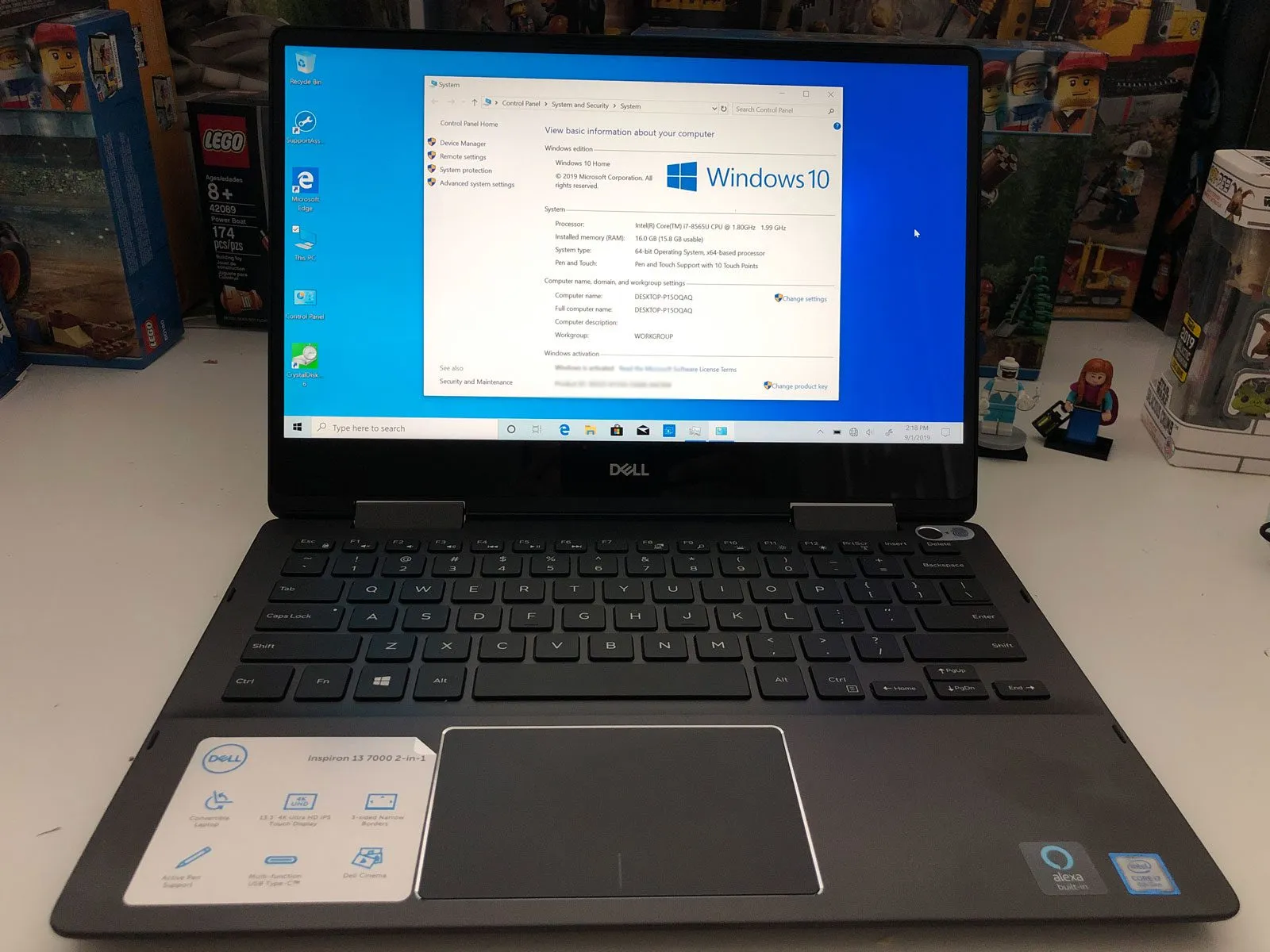
Recently, a deal came out for the Dell Inspiron 7386. I bought it from Dell but here’s a Best Buy product page if you want to check out how it looks and see the specs. On paper, the specs are impressive.
Specs
- Intel i7-8565U
- 16GB DDR4 2400MHz ram (soldered, not upgradable)
- 256GB M.2 PCIe NVMe SSD (SK Hynix BC501) – I believe this is replaceable with the usual 2280 size.
- Intel Wireless AC 9560 with Bluetooth 5
- Goodix fingerprint sensor– supports Windows Hello
- TPM 2.0
- 4K UHD touch screen
- HDMI port
- USB 3.1 Gen 1 type A port
- USB 3.1 Gen 1 type C port – supposedly supports display port and power delivery but I did not try it for reasons I shared below.
- Micro SD card reader
- Universal audio jack
All in a 13.3″ laptop form factor. I was able to get this for $699. It is a 2-in1 laptop where I can flip the screen 180 degrees and it becomes a tablet. It also comes with its own pen. I’ve read that the pen acts similarly as the Surface Pen – same drivers, same technology.
Storage and Drive Performance
The storage drive has pretty good performance for a laptop. Of course, you can get faster performing drives but at a cost.
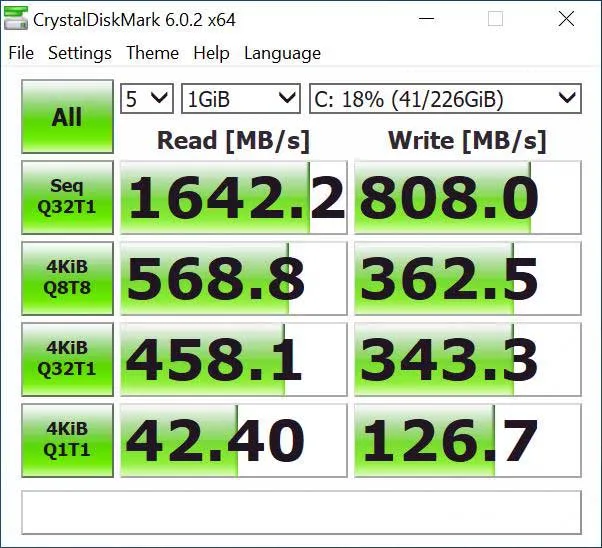
Crystal Disk for Dell 7386 – SK Hynix BC501
The drive is also configured in a RAID. You can go into the UEFI/BIOS and see it. Below is the partition setup that disk management reports.

Partition details using Windows Disk Management
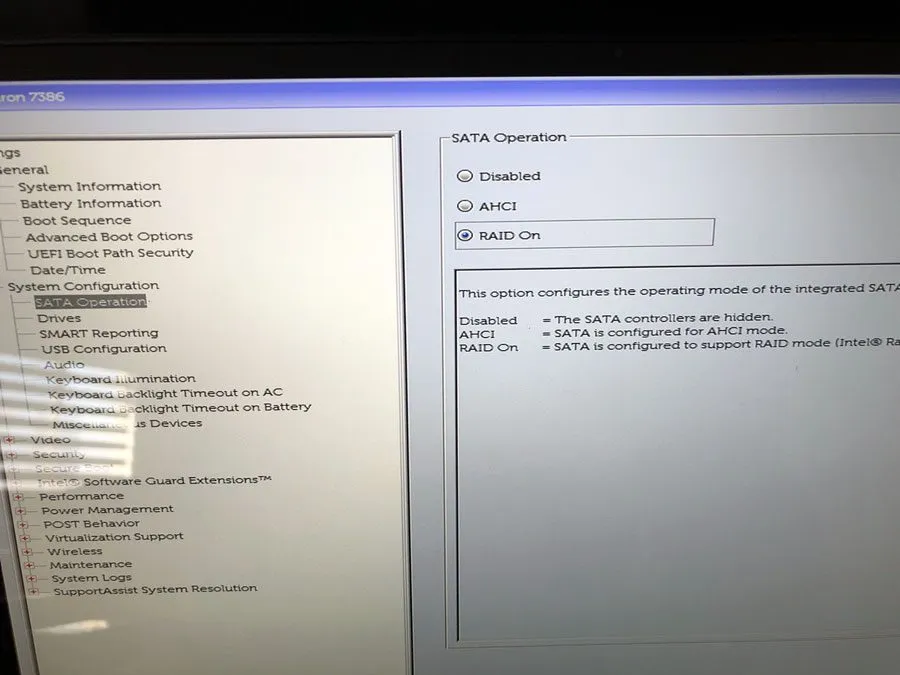
UEFI/BIOS RAID configuration
The partitions contain the default configurations that Dell installed to help the user manage their device. It also has an image of the operating system with the Dell drivers included. It is there for convenience but takes up space nonetheless. You can wipe delete the partitions and have a more traditional setup but you will need to delete everything and download Microsoft’s version of the Windows 10 installer. The license is attached to the device so you won’t have to worry about losing it. If you need to factory reset your laptop, you will need to download Dell’s restore image. It is best to do this with the device so it can detect your tag number and provide the correct version. Dell’s website has a detector that can load on your internet browser.
The Fan Problem
So why am I not a fan of this laptop? Well that’s exactly the reason, the fan. I believe that the combination of the i7 processor, 4K screen, and small size that it cannot keep the components cool enough. Within five minutes of booting up and loading the desktop with nothing running, the fans will turn on. And it’s fairly loud. This was meant to be used in bed at night. My wife will not appreciate the noise, neither will I. Also, the bottom gets a bit warm as well so my lap will not appreciate it either. I can use a pillow between my lap and laptop but that will make it worse since there are vents on the bottom that will lose airflow. The power brick (45W), though small, gets warm as well.
This wasn’t my first experience with Dell thermal issues. My previous Dell Inspiron had its own fan problems that ultimately killed it, so I was hoping the 7386 would be an upgrade in that department. It wasn’t.
Touchpad Issues
There is also a weird anomaly with the touchpad. It happens randomly and seldom but when left clicking, the cursor moves up a bit. When this occurs, you will miss what you intend to click since it moves upwards. This happens in the UEFI for sure, 100% of the time. Could it be driver related? But does not happen all the time when Windows is loaded. It did happen a few times. Restarting solved it.
Battery Life
Many of the complaints I’ve read online deals with battery life, it’s poor. It is a 3-cell, 38Whr battery. The website says it’s integrated so it might not be replaceable. You can also read many of the reviews on the product page. You will see plenty of battery life complaints.
Light Bleed and Final Verdict
And finally, there is light bleed on the top left of the screen.
I would love to keep this machine for its hardware. But the fan, weird touchpad issues, battery life, light bleed – I will have to send it back. Hopefully I don’t have to pay a restocking. What if they say that the fan is a feature and is expected to work that way? It’s really a bummer. Well, the other issues mentioned is definitely not a feature.
After this experience, I ended up building my own desktop instead of chasing another laptop.
Leave a comment
Comments come straight to me rather than posting publicly, and I read every one. Your email is never published.