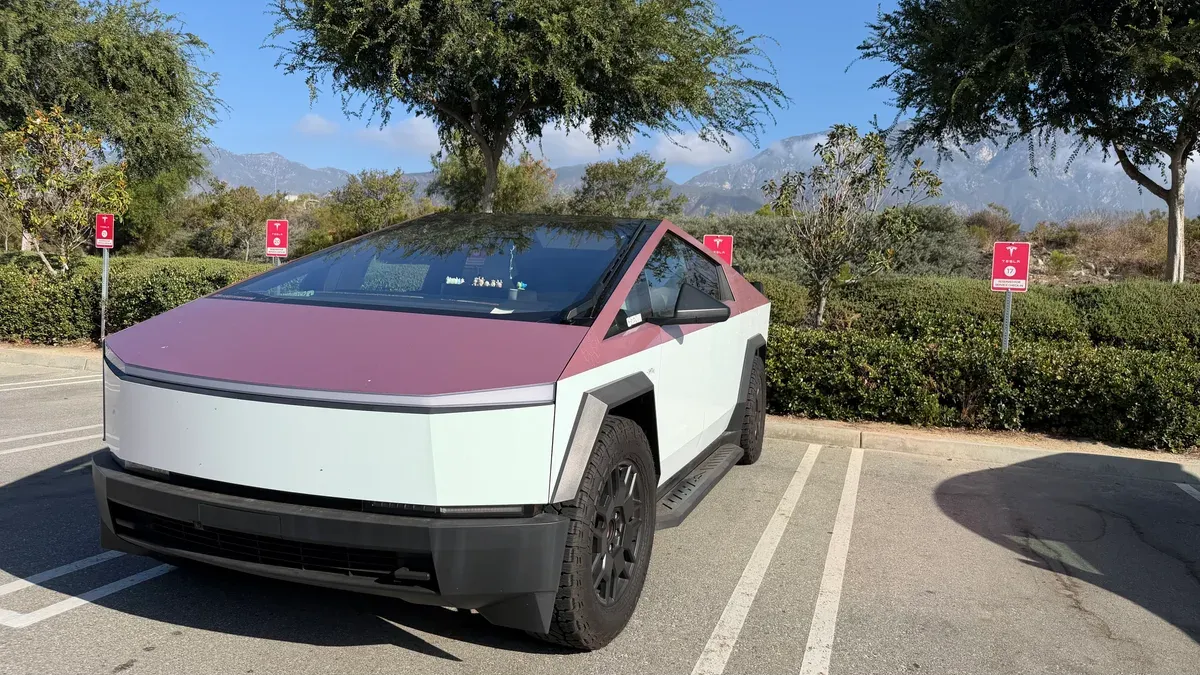
I took my Cybertruck to Tesla Service with two small complaints and a $0 estimate. I got both fixed, paid nothing, and drove home with a brand new front headliner that still doesn’t sit flush. This Cybertruck service visit started as an errand and turned into a lesson.
Why my Cybertruck went to Tesla Service
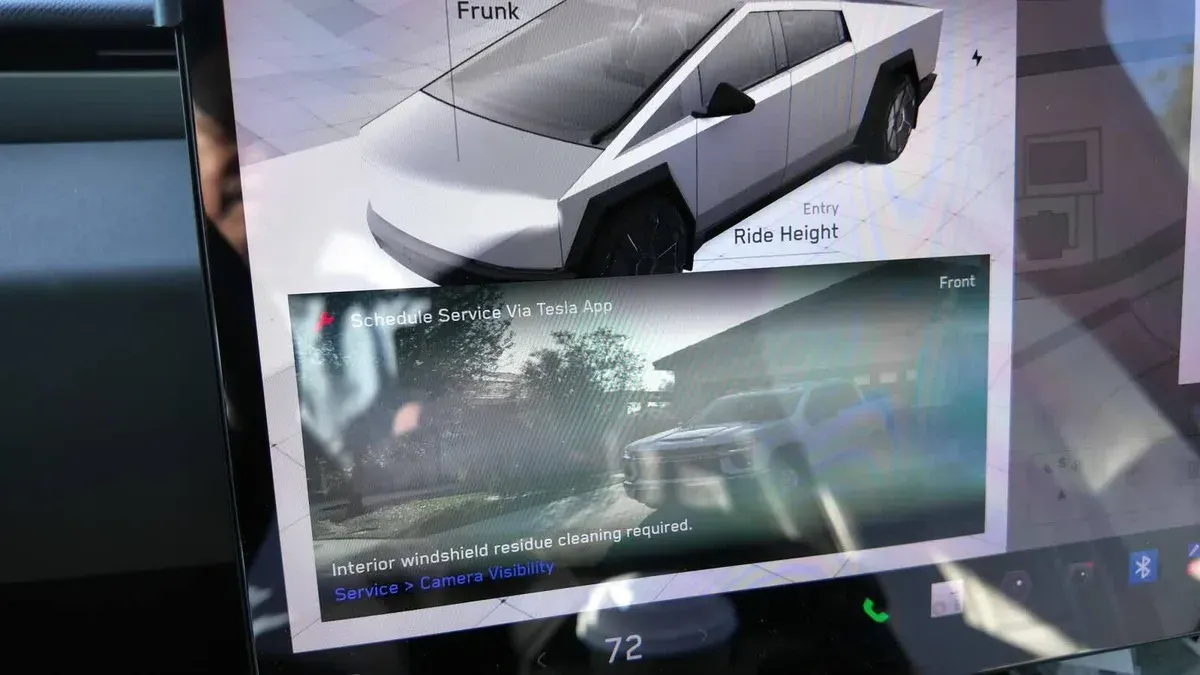
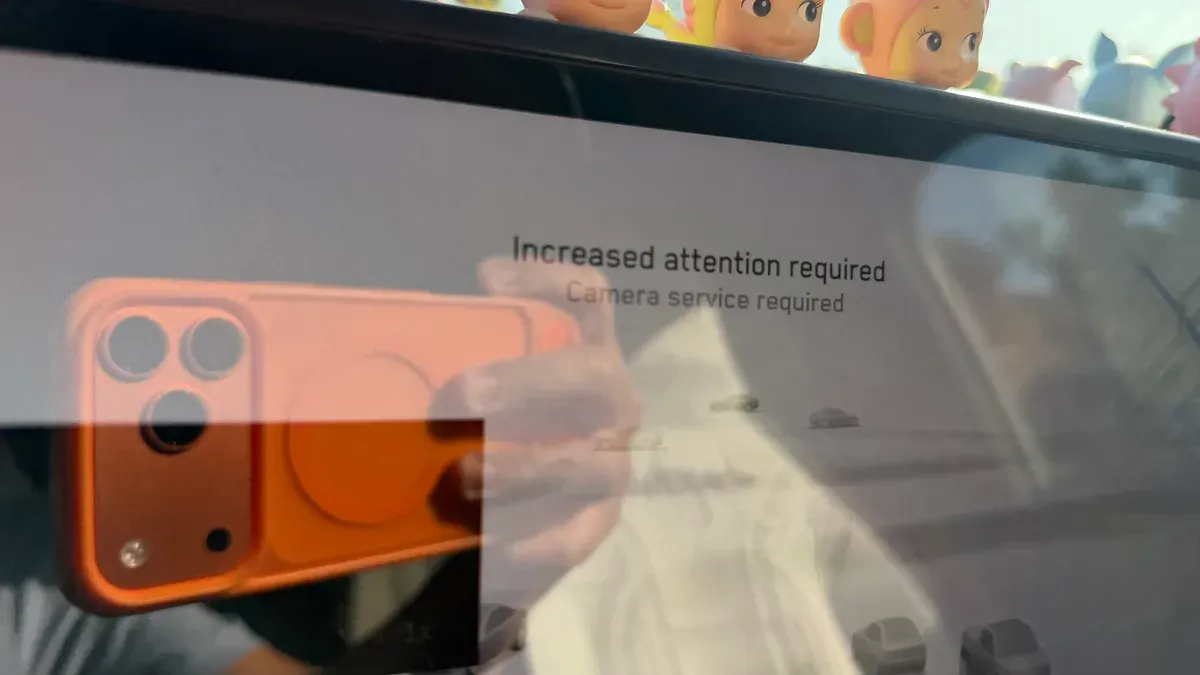
Two things. First, the camera cleaning alert. It kept popping up while I was on FSD, warning that it could affect performance. I’ve had it cleaned once before, and it came back. This is what the screen actually says:
Second, the map light above the rearview mirror (the one I call useless) was turning itself on. Sometimes on a bump, sometimes for no reason at all. It’s an LED, so the draw is tiny, but I don’t like being wasteful and it shouldn’t be doing that.
I drove there on FSD and dropped it off at Tesla Service Upland. My one hope: get the truck back in the same or better condition than when I left it. Hold that thought.
The Cybertruck service quote: $80, then $0
When I booked, the app estimated the cleaning at $0. Then the actual estimate came back at $80. I asked why the app said free and they were telling me $80, and told them straight up that at $80 I wasn’t doing it. They looked up my truck, said there was an existing TSB, and put it back to $0.
For reference, the cleaning normally runs $80 on a Cybertruck and $60 on other Teslas. Keep that in mind so it doesn’t surprise you.
The part I don’t like is the diagnostic hold. For the light, which is a warranty item, the estimate still carried a diagnostic charge, around $230 if I remember right. If it’s random and they can’t find anything, am I paying for that? They told me they’d seen a good number of Cybertrucks with the same light issue, so I rolled with it.
The loaner, and why Tesla’s cloud profiles still win
I got a Model Y Juniper as a loaner, and within seconds it was my car. My name on the screen, my seat, mirrors, climate, everything. Your Tesla profile lives in the cloud and follows you into any car you sign into.
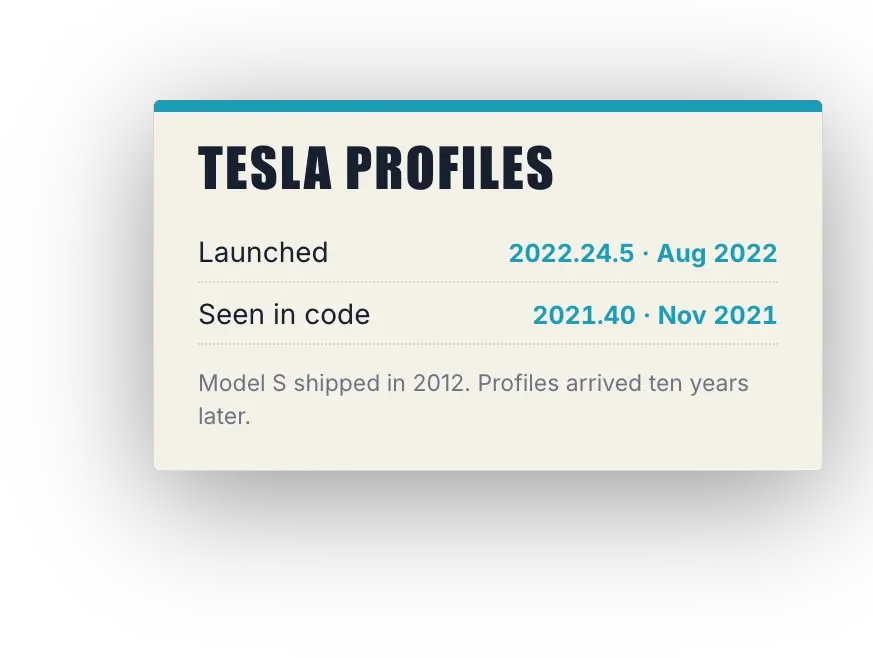
I can’t say enough about this. When my Rivian goes in, Rivian usually hands me an Enterprise rental, and even with a Rivian loaner my profile doesn’t travel, so I spend the first several minutes setting everything back up. Years ago Tesla loaners were hard to get too. Now it’s seamless, and profiles came to cars that were already on the road through an over-the-air update. That’s the part I love about EVs. It’s not every Tesla ever built (older pre-refresh S and X weren’t on the launch list), but it covers most of what’s on the road.
One weird thing: I drove the loaner on FSD all morning, and its FSD stats never moved.
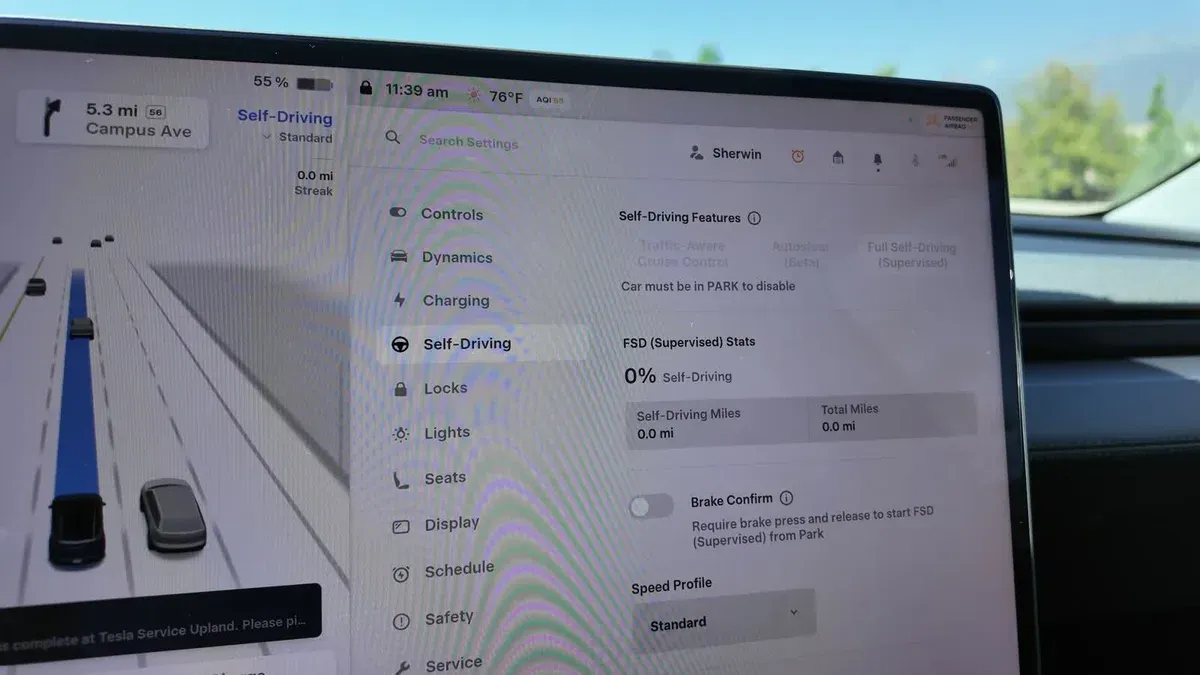
Zero percent, 0.0 miles, 0.0 mile streak. Could be how loaners work, could be that one car. Not losing sleep over it.
Map light fixed, headliner not flush
The truck was ready in a little over two hours. The app had it done by 12:38 PM, and I got a message that they couldn’t replicate the light issue. The advisor replaced it anyway.
To reach the map light they had to take down the front of the headliner, which meant my roof shade had to come out first. I removed it that morning and the headliner was fine. The second I went to put the shade back in at pickup, I saw it. The front headliner wasn’t sitting flush anymore.
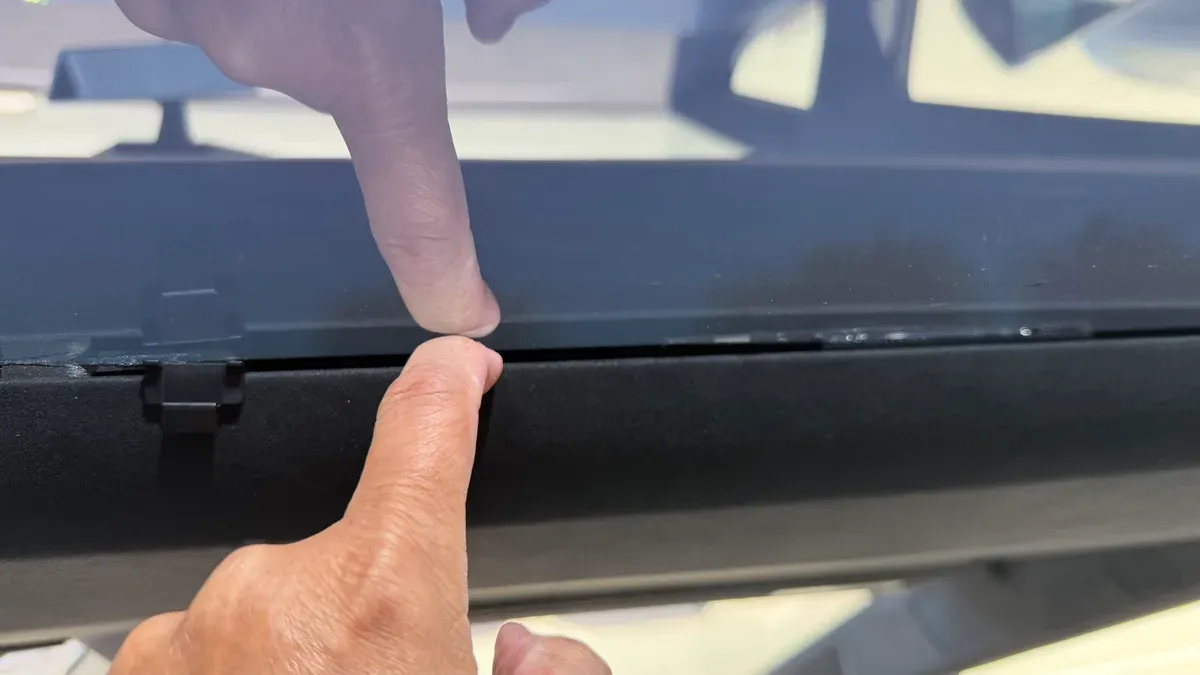
That gap was not there before they worked on it. I went back and rewatched my own roof shade video to be sure. I’m meticulous about this stuff, and if it had looked like that, I would have said something and gone to service for it.
A technician came out to the parking lot and couldn’t get it to seat. They took the truck back in, I waited about another hour to an hour and a half, and they replaced the entire front headliner. The brand new one has the same gap.
Their explanation: there’s an antenna behind that spot, they checked two other Cybertrucks on the lot, those looked the same, and it’s within spec. So I asked three friends with Cybertrucks to check theirs: KobraToldYa, phantom_therealx, and Tesla One Club. None of them has a gap. Kobra’s answer was one word: “No.”
So “within spec” doesn’t add up for me. It was flush before, it isn’t now, and three other trucks are flush. Thanks for the new headliner, but the gap is still there.
Always inspect before you drive off
This is the real takeaway. Mistakes happen. Look your car over before you leave the service center, because once you drive away, there’s no clean way to prove when something happened or whether it’s covered.
The upside of my headliner saga is that it’s now in the service history. If that gap ever starts collecting dust or rattling, it’s documented that Tesla replaced the headliner on this date. It’s just CYA, y’all.
What the Cybertruck service invoice actually says
Here’s the paper, with the part numbers for anyone who wants them:
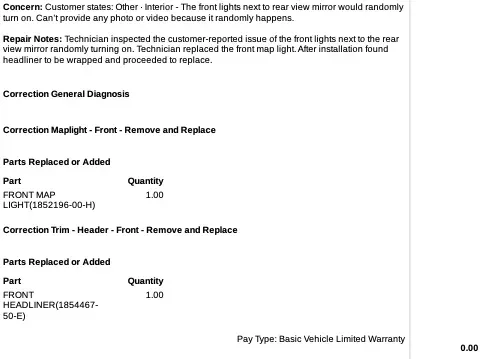
Front map light (1852196-00-H) and front headliner (1854467-50-E), both under the Basic Vehicle Limited Warranty, $0.00. Read the repair note, though. The technician replaced the map light and then, “after installation found headliner to be wrapped and proceeded to replace.” I’m reading “wrapped” as warped. That’s Tesla’s own paperwork saying the headliner was off after the light job. Not an antenna.
The camera cleaning line reads “Technician cleaned the forward camera view with precision cleaning of the inboard glass,” and it’s marked Pay Type: Goodwill, $0.00. So I was given three reasons it was free. At drop-off it was a TSB. At pickup the advisor said it was because the app was glitching out. The invoice says goodwill. I’ll go with the invoice.
HW4 owners: expect this camera cleaning alert again
Here’s what service told me about why this keeps happening. On newer cars, especially Hardware 4, the cameras are higher resolution and more sensitive, so the cleaning alert is going to pop up more often. Treat it as a regular maintenance item.
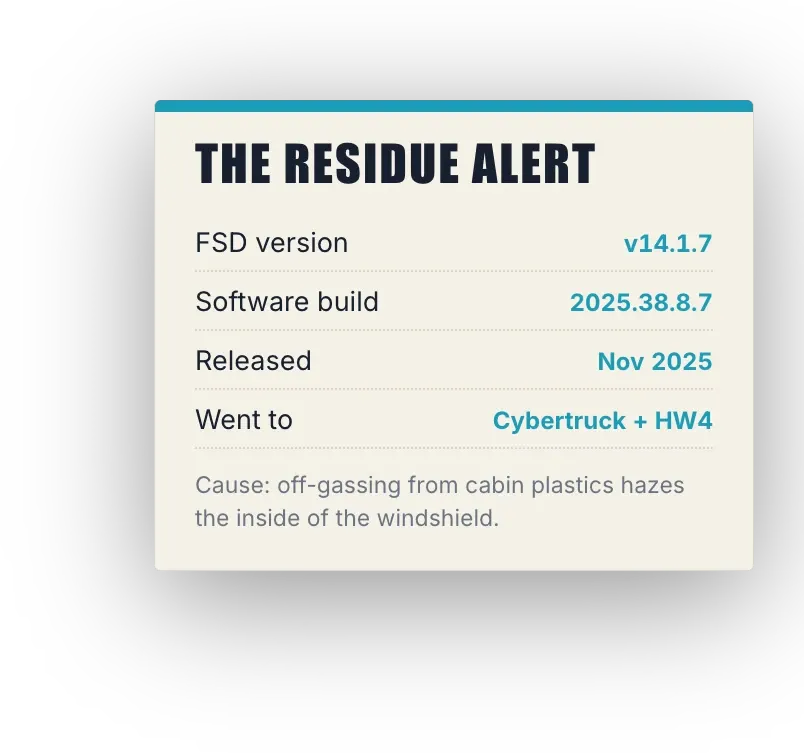
That lines up with what’s public. The alert showed up in FSD v14.1.7, and the residue comes from cabin plastics off-gassing onto the inside of the windshield. That doesn’t stop, so it keeps coming back.
One more wrinkle. The morning of my appointment the truck also threw an “Increased attention required, Camera service required” warning.
Three days after my visit, Not a Tesla App reported that Tesla acknowledged a bug in FSD v14.3.9 that throws false camera cleaning alerts, and that service has been canceling cleaning appointments because of it. That’s not what happened to me. My truck was on FSD v14.3.8 when the alert showed up, one version before the buggy one, and I’d already had this cleaned once before. But if you’re on v14.3.9 and it just started nagging you, check that before you book, and if you paid for a cleaning you didn’t need, the same report says to ask Tesla Support about a credit.
I wish Tesla would design this problem out of future cars. Until then, it’s $80 on a Cybertruck and $60 on everything else when it isn’t free.
Some of you think I have bad luck because I’m always at service. This truck has already been in for the cant rail recall and a front inverter replacement, and I’d rather show you what owning Teslas and a Rivian is really like than sugarcoat it. The good, the bad, and the weird, every visit. If you’re shopping for a Tesla anyway, here’s my referral link. With the shade out, you can see the wrap lettering and the Cybertruck sticker through the glass roof, and it looks awesome. Shoutout to Austin at AIM Wrap Studio for the wrap. So now I’m torn. Roof shade or no roof shade?
Leave a comment
Comments come straight to me rather than posting publicly, and I read every one. Your email is never published.